
For Bambu Lab printers · macOS
Print models bigger than your printer.
Drop in a 3D model. CadSplit cuts it into parts that fit your print bed, adds joints so they go back together, and opens it in Bambu Studio with one part on each plate.
Download CadSplit
Free to try. Sends 2 parts without a license.
The download is not live yet. Write to support@grainy.tech for early access.
How it works
Three screens. No settings to learn.
01 DROP
Drop your model
STL, 3MF, OBJ or STEP. Small faults in the file are repaired without asking you anything.
02 SPLIT
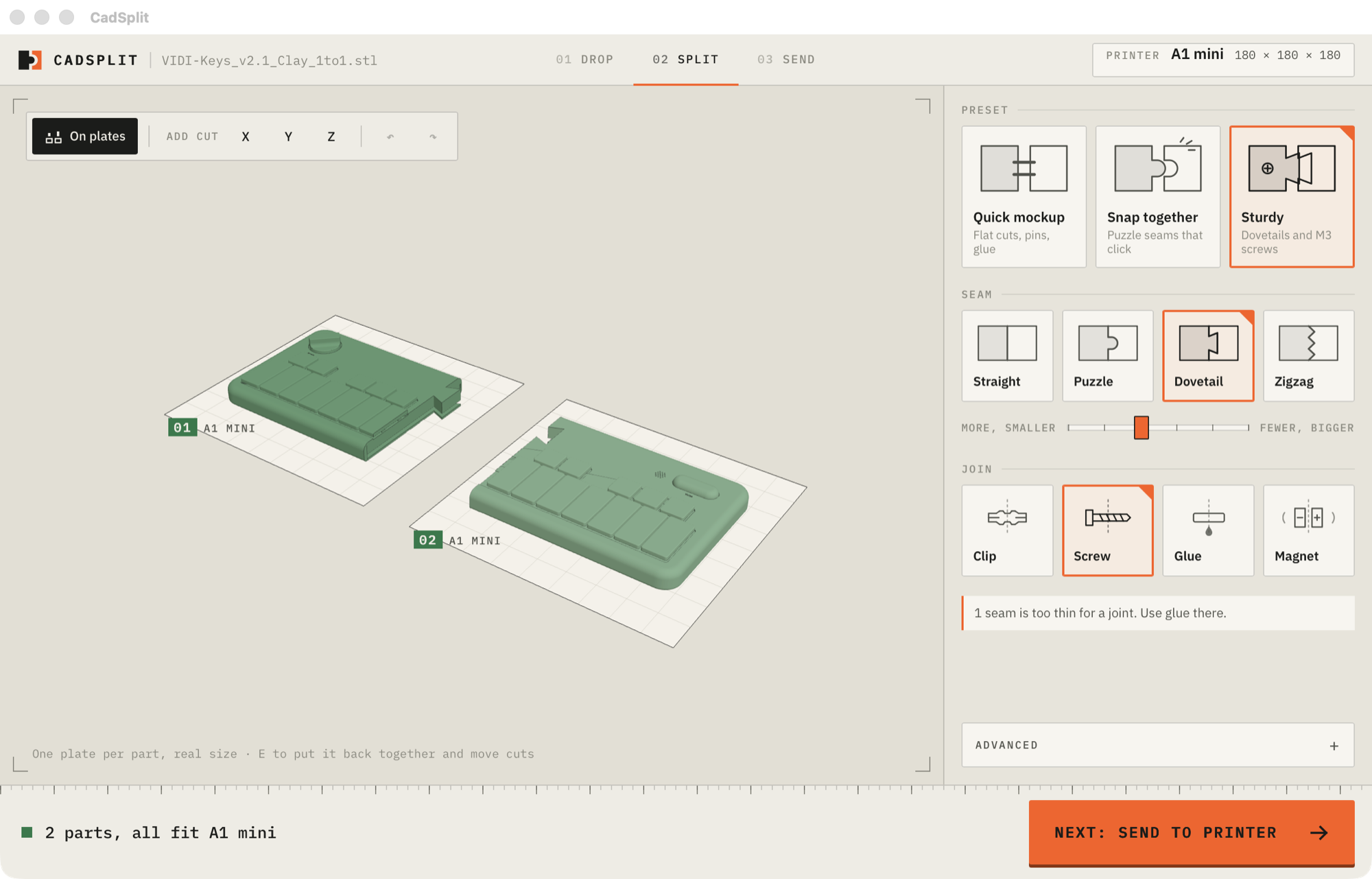
See it already split
Every part lies on its own plate, drawn at the real size of your printer. Green fits. Red is too big.
03 SEND
Send to Bambu Studio
One press opens the project with each part on its own plate, laid the way that needs least support.
What you get
A life-size mockup in your hands today.
- Fewest cuts. The split uses as few parts as your printer allows.
- Joints included. Pins and glue, puzzle seams, dovetails, M3 screws or magnets.
- Move any cut. Drag a cut line on the model and watch the parts update.
- Numbered parts. Each part has its number engraved on a hidden face.
- Your printer. A1 mini, A1, P1S, X1C, H2D, H2S or your own bed size.
- Private. Everything runs on your computer. No account, no upload.
Download CadSplit
Buy a license, $29
The download is not live yet. Write to support@grainy.tech for early access.